When a DotGolf tournament is setup, there are multiple ways that players can be registered for the event. One of those options is registering the player at no charge from the administrator side of the tournament.
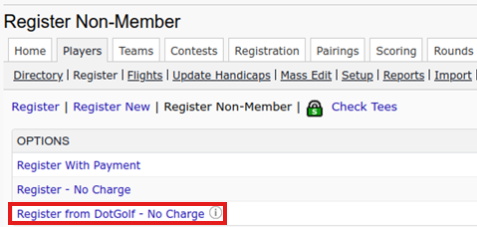
To add players to a tournament manually, go to the players tab, select Register, register non-member, and then "Register from DotGolf- No Charge":
After selecting “Register from DotGolf- No Charge”, the tournament administrator will be prompted to a search screen where players can be looked up by handicap ID, and Country (Note: Email IS required to register from this area):
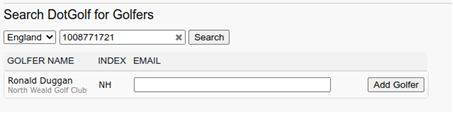
Note- The email being added must be the same email the player has on file under the handicap ID
If the email is not added, and error message will appear stating the email is required:
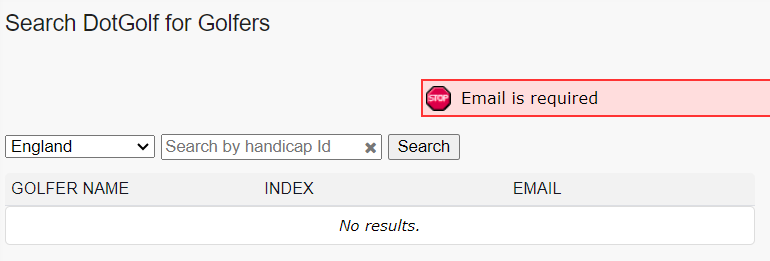
Once the email is added, select "Add Golfer", and the player will be added to the tournament field.
Was this article helpful?
That’s Great!
Thank you for your feedback
Sorry! We couldn't be helpful
Thank you for your feedback
Feedback sent
We appreciate your effort and will try to fix the article