With a DotGolf integration, there are certain fields of information that must be collected during the registration process. These fields should be included on all registrations forms where DotGolf will be used. Follow the steps below.
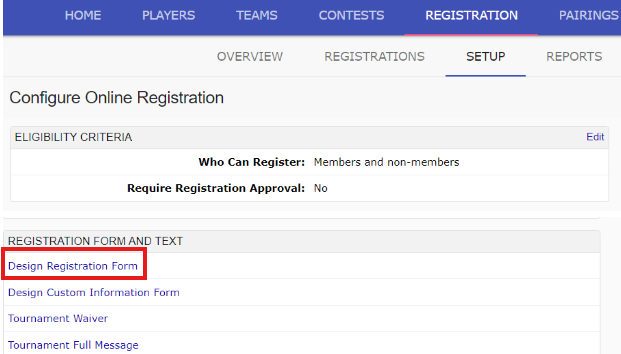
Within the registration tab, select the sub-tab "Setup" and locate "Design Registration Form";
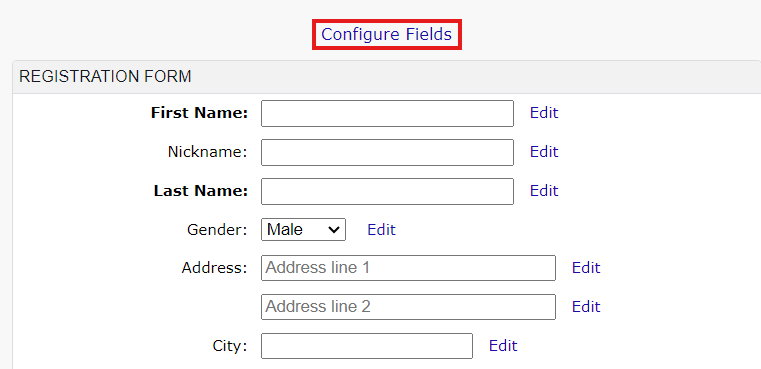
On the form, select "Configure Fields" to customize the form:
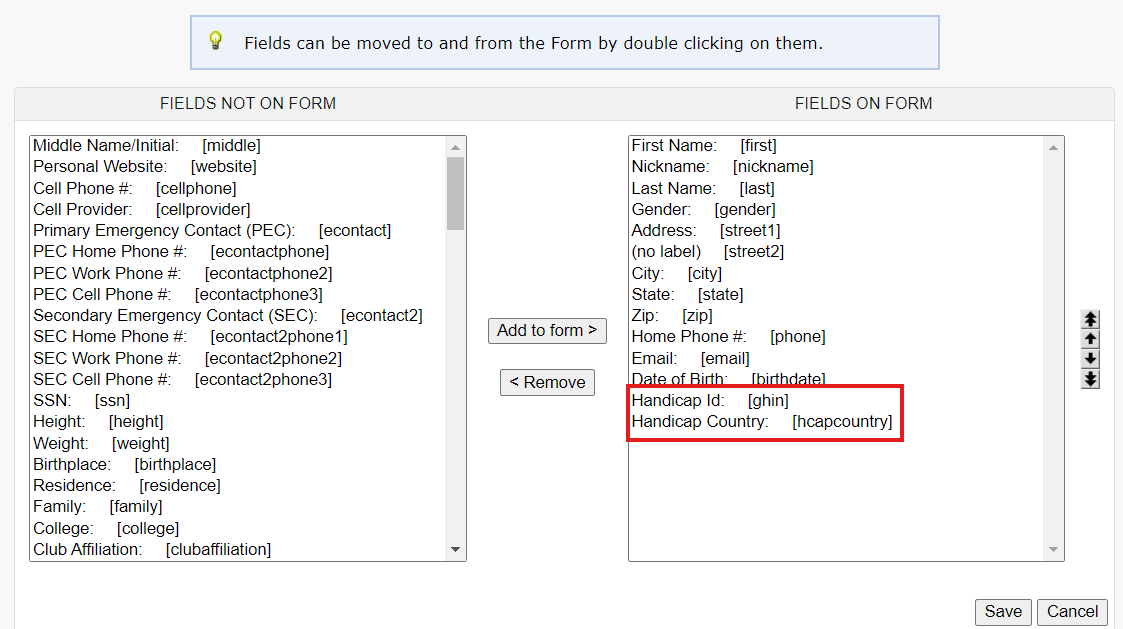
The fields that are required to be on the form are "Handicap Country" and "Handicap ID":
Once the fields are added to the registration form, make sure that those fields are marked as required (Bold):
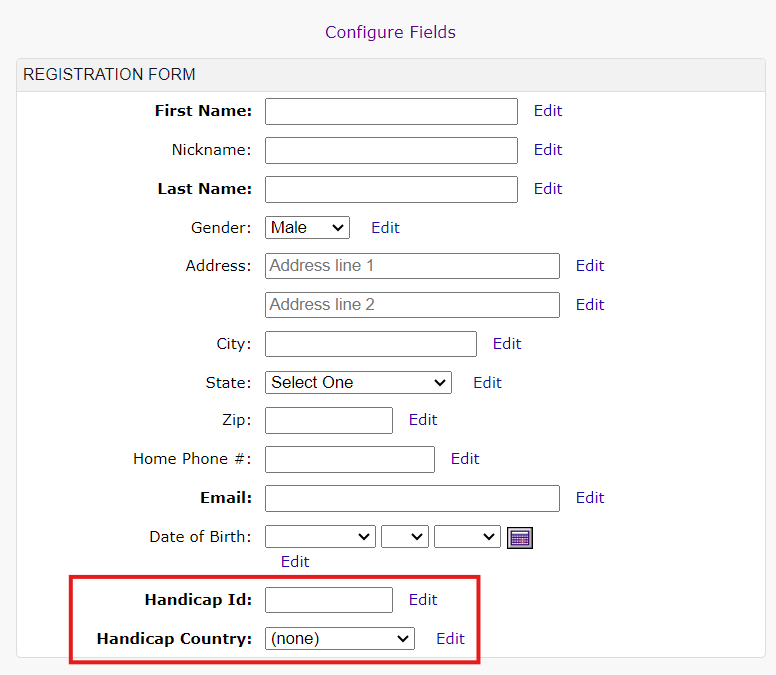
Once the fields are added to the form, and set as required, the registration form is complete.
Was this article helpful?
That’s Great!
Thank you for your feedback
Sorry! We couldn't be helpful
Thank you for your feedback
Feedback sent
We appreciate your effort and will try to fix the article