With a DotGolf Integration, programs can now create a tournament within the DotGolf system, and request tee information from the golf club where the tournament is being played. Follow the steps below.
Once the tournament and contests have been setup, locate the Rounds tab, and select "Manage DotGolf":

Next, create the DotGolf tournament by selecting the country and club the tournament will be played at. Select "Create:
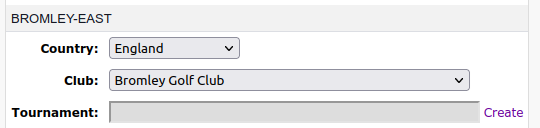
Once the “Create” button has been selected, the golf club will receive a notification to grant access to the club’s tee information. The club will then accept that notification (If the notification is not accepted, please reach out to the club to grant access). Once approved, the club’s tee information will be available.
Notes:
If the country needs to be changed, delete the DotGolf tournament and recreate it.
If the club needs to be changed, edit an existing round using that course. This will update the tournament in DotGolf.
A maximum of 50 live/future tournaments per organizer is allowed. Once a tournament completes, it is no longer counted against the maximum.
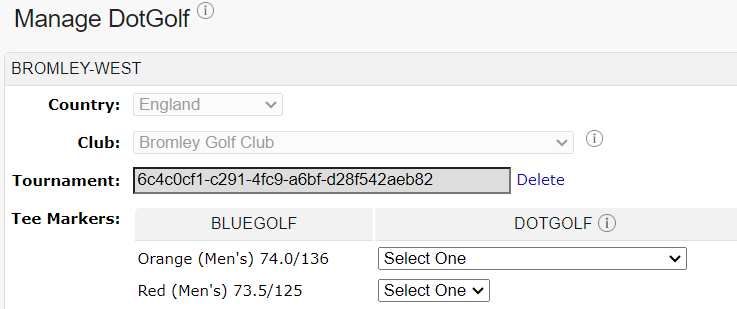
Tee marker information cannot be accessed after the tournament’s end date, but scores can still be posted (so make sure mappings are correct prior to end date).
Once the golf club approves the request, the "Manage DotGolf" area will provide a list of tees that can be mapped.
Was this article helpful?
That’s Great!
Thank you for your feedback
Sorry! We couldn't be helpful
Thank you for your feedback
Feedback sent
We appreciate your effort and will try to fix the article