With a DotGolf integration, it is crucial to gain the correct tee information.
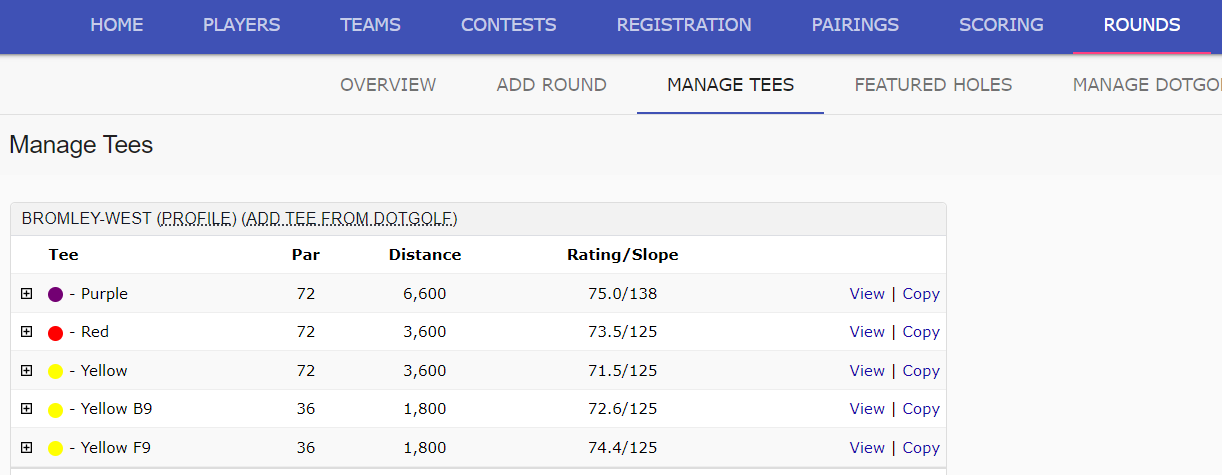
Once the club accepts the access notification, navigate to the Rounds tab, and select Manage Tees:

The tee information displayed is the tee information that BlueGolf has. This information should be correct, and identical to what DotGolf has in their system:
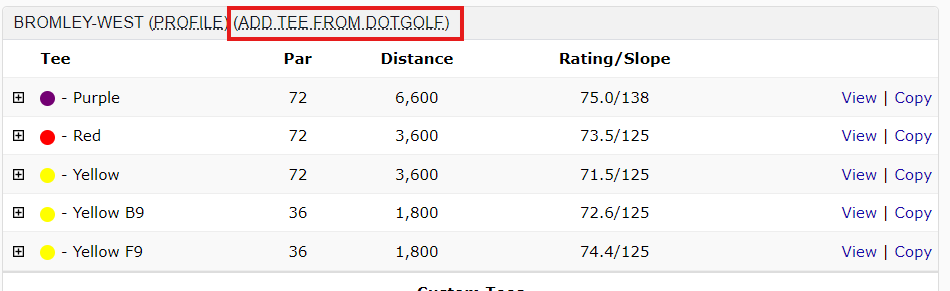
If the BlueGolf tee information is not identical to what DotGolf has, the next step would be to "Add Tees from DotGolf":
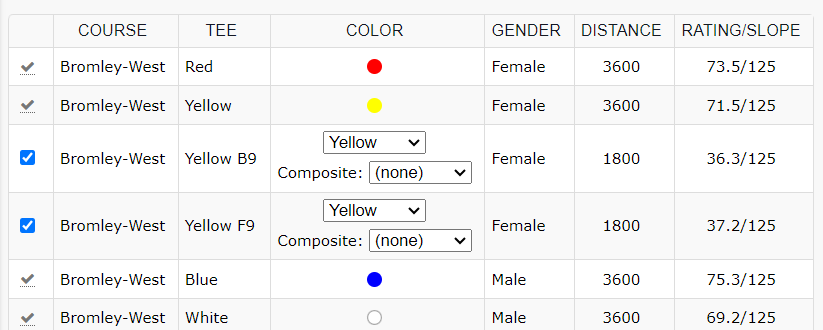
Select the checkbox next to the tee that needs to be added to the tournament:
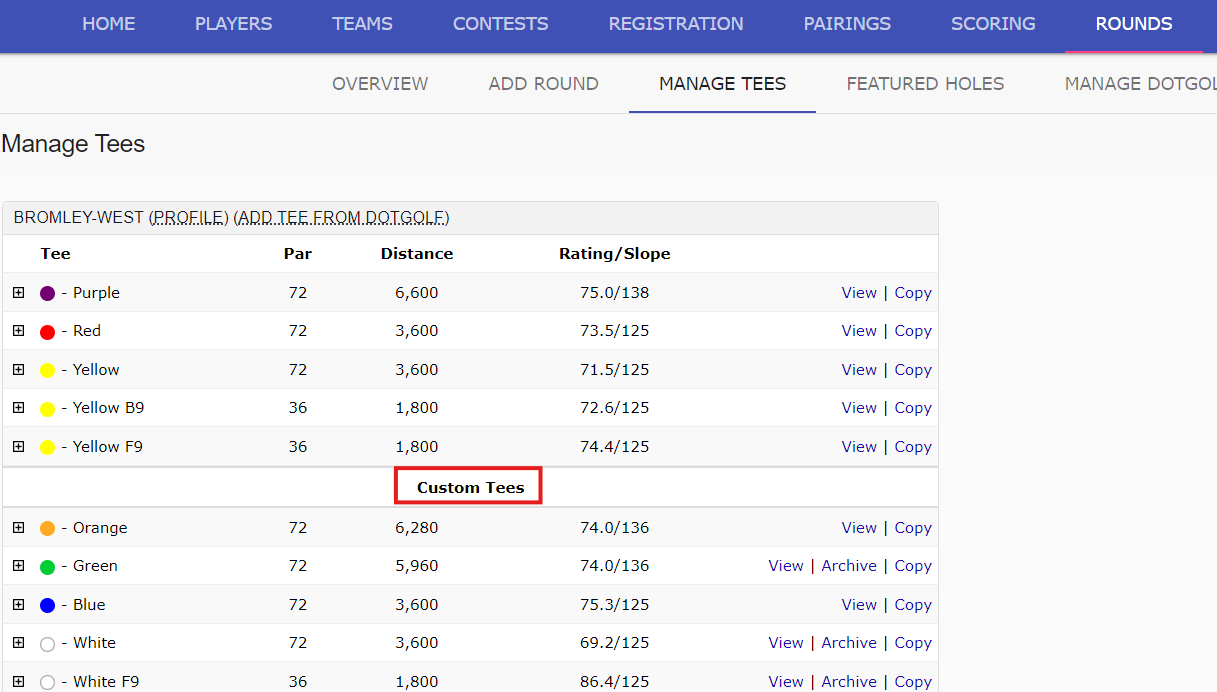
"Adding Tees from DotGolf" will pull down the exact DotGolf tee information, and add those tees as "Custom Tees" within the tournament that can be used:
Once all the tees being used in the tournament are added, the next step would be to map the tees.
Was this article helpful?
That’s Great!
Thank you for your feedback
Sorry! We couldn't be helpful
Thank you for your feedback
Feedback sent
We appreciate your effort and will try to fix the article