For team competitions, registration settings play a big part in getting the correct player and handicap information for each participant. With a DotGolf integration, administrators can setup registration, so players can lookup partner information during registration. Follow the steps below.
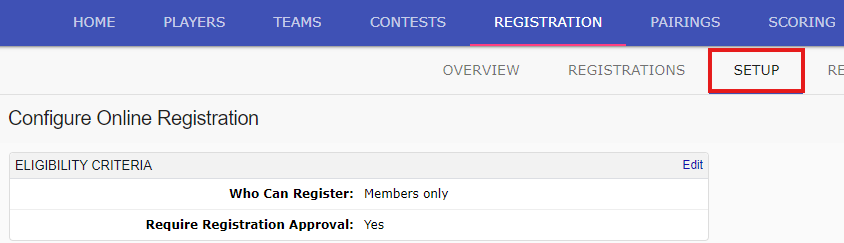
Within the tournament, go to the registration tab, and the sub-tab "Setup":
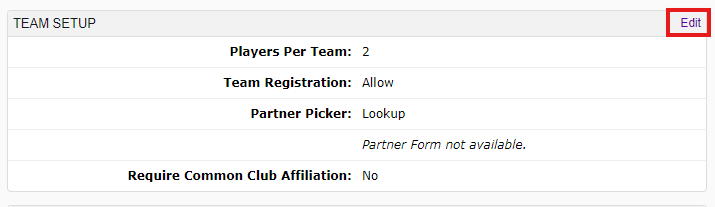
Scroll down the the "Team Registration" settings, and select edit:
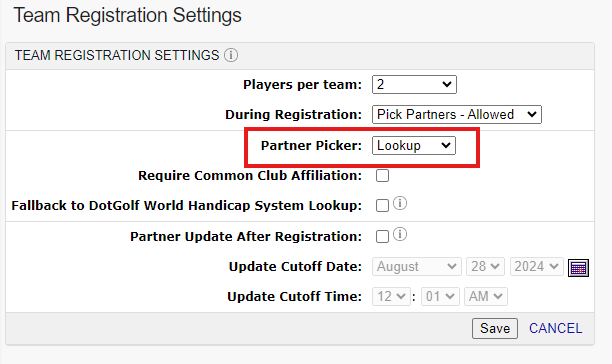
Setup the team registration settings as normal, and set the partner picker to "Lookup":
Next, enable the "Fallback to DotGolf World Handicap System Lookup" setting:
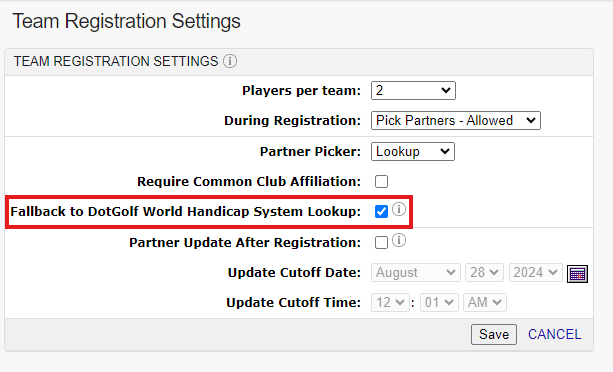
Fallback to DotGolf World Handicap System Lookup- When selected, BlueGolf will lookup the golfer in the DotGolf World Handicap System system if the user searches by Handicap Id and a match is not found in your member database.
Once complete, select SAVE.
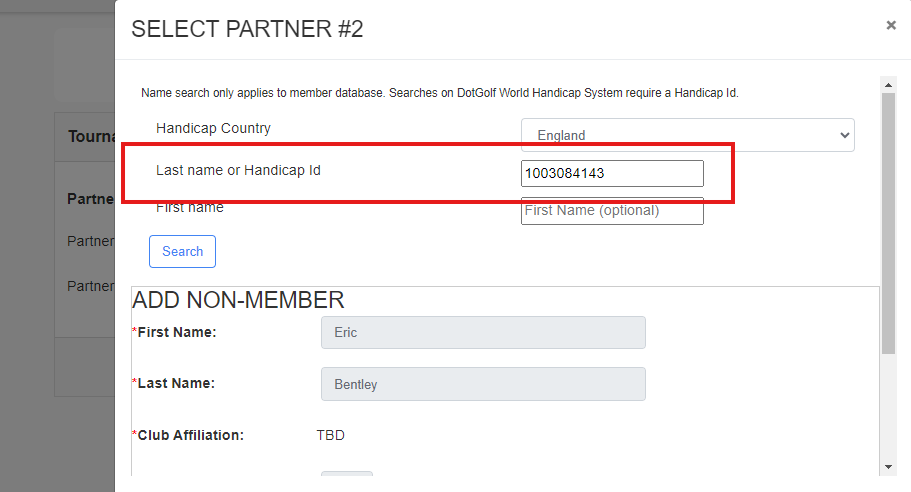
During registration, players will be able to lookup player information in the DotGolf system by using the handicap ID, or last name:
Was this article helpful?
That’s Great!
Thank you for your feedback
Sorry! We couldn't be helpful
Thank you for your feedback
Feedback sent
We appreciate your effort and will try to fix the article