In a tournament where DotGolf is being used, and score intents have already been created, there may come a time where a score intent may need to be deleted. This would typically come up if the player is not intending to post the score, or the player no longer has an active handicap.
To delete a score intent, go to the players tab, and select edit next to a player:
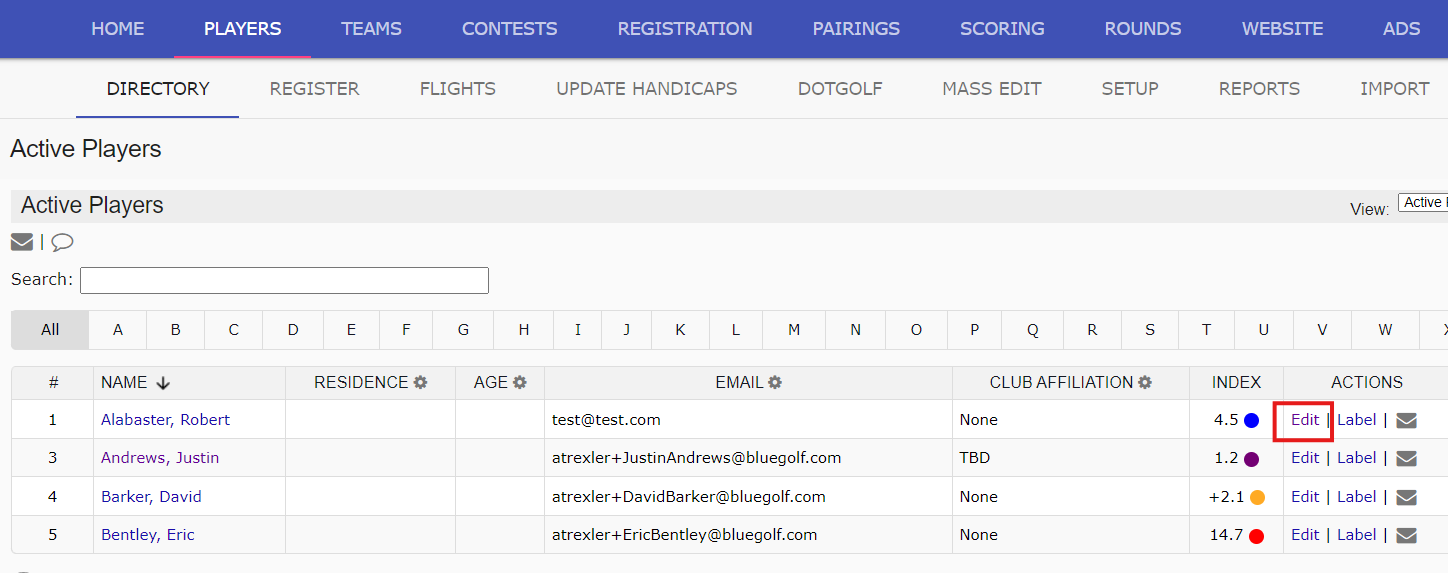
Next to the player round information, and handicap information select the link "Delete Score Intent":

Selecting this link will remove the score intent for this specific player.
Was this article helpful?
That’s Great!
Thank you for your feedback
Sorry! We couldn't be helpful
Thank you for your feedback
Feedback sent
We appreciate your effort and will try to fix the article