Overview
You can highlight your tournaments as being ranked by recognized ranking organizations directly on your schedule and tournament pages. This helps players quickly see the value and recognition of your events.
Add Rankings to Your Schedule
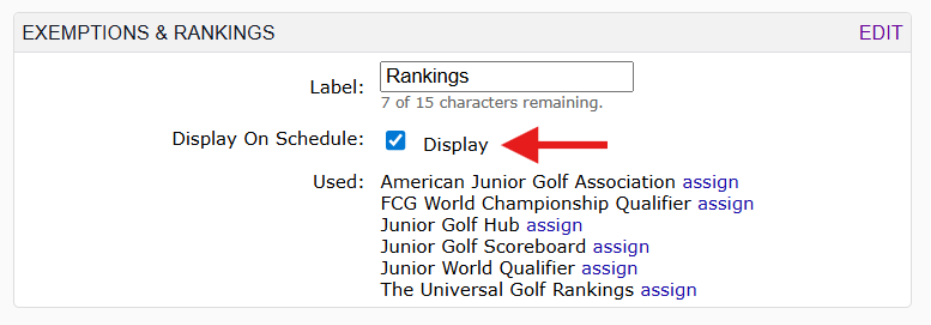
To display ranking organizations on your schedule:
- Go to your Tournament Schedule Settings.
- Add the ranking organizations you want to use.
- Check the “Display” box next to each provider.
What this does
Once enabled, ranking providers will appear on your public schedule, showing which events are recognized.

Show Rankings on Tournament Pages
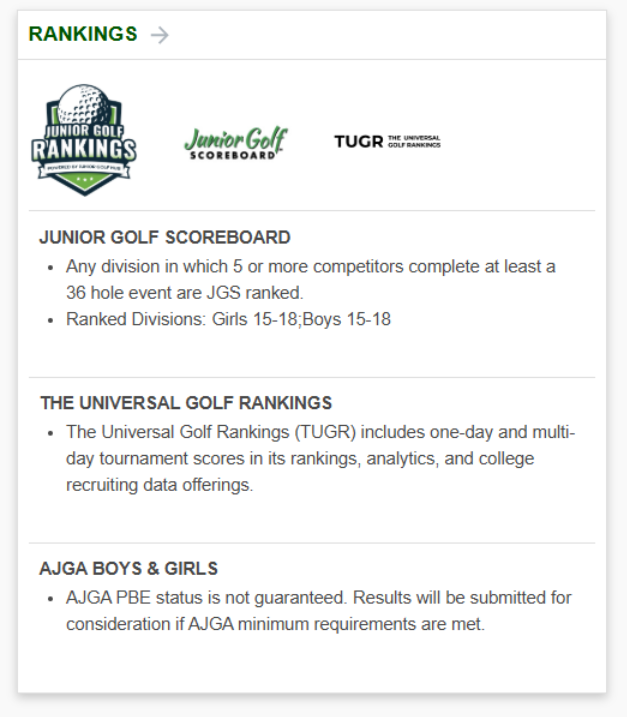
You can also display rankings on each tournament’s information page.
Step 1: Add the Rankings Section
- Open your Tournament Information Page Layout.
- Add the “Rankings” card.
Step 2: Choose Ranking Providers
- Go to the individual tournament setup.
- Select the ranking providers you want to display.

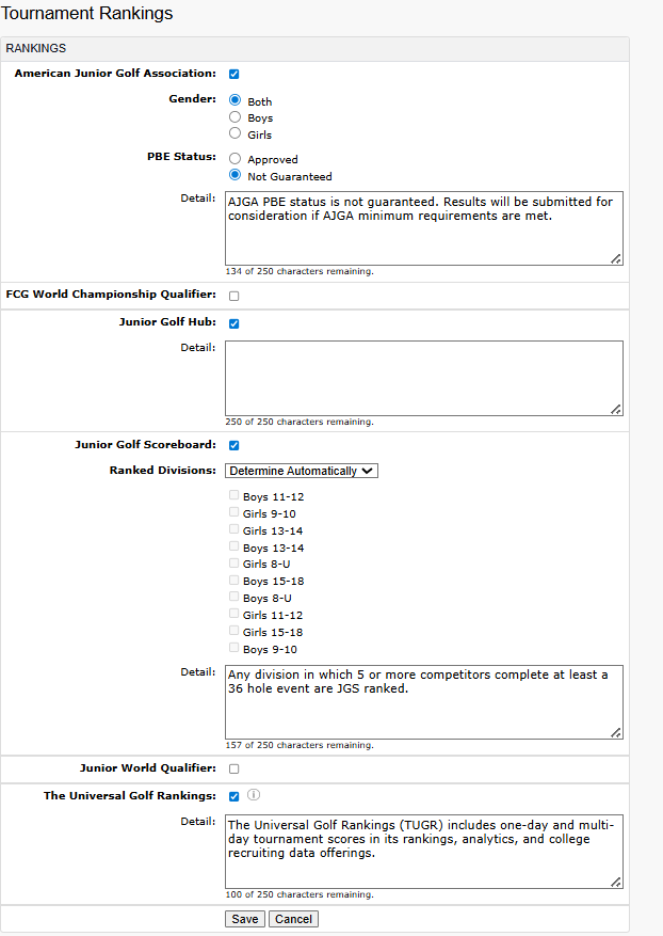
What this does
The selected rankings will appear on the tournament’s Information Page, giving players clear visibility into rankings for that event.
Was this article helpful?
That’s Great!
Thank you for your feedback
Sorry! We couldn't be helpful
Thank you for your feedback
Feedback sent
We appreciate your effort and will try to fix the article