Enter Scores in BlueGolf 360
As a tournament concludes, one of the final steps is entering player scores. BlueGolf 360 provides multiple ways to input and track scores efficiently, depending on your preferred workflow.
Access the Scoring Area
Within the tournament, navigate to the Scoring tab.
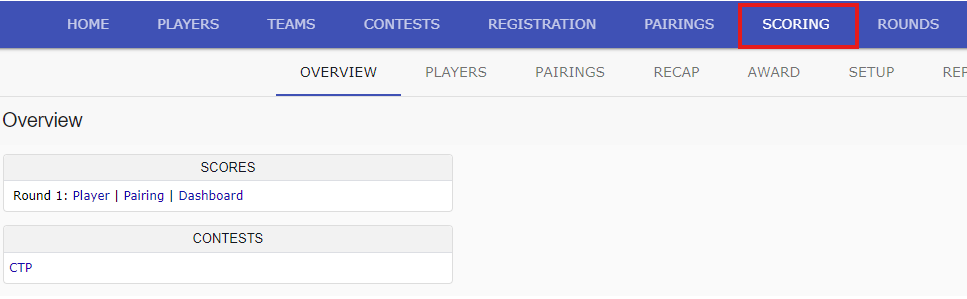
Score Entry Options
BlueGolf 360 offers three methods for entering and reviewing scores:
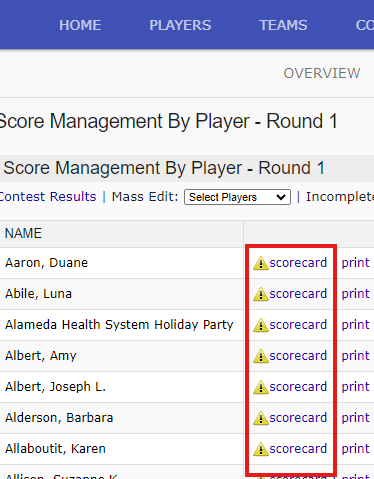
1. Player Scoring
This option allows administrators to enter scores for individual players.
- Locate the player in the field
- Select the scorecard link next to their name
- Enter scores as needed
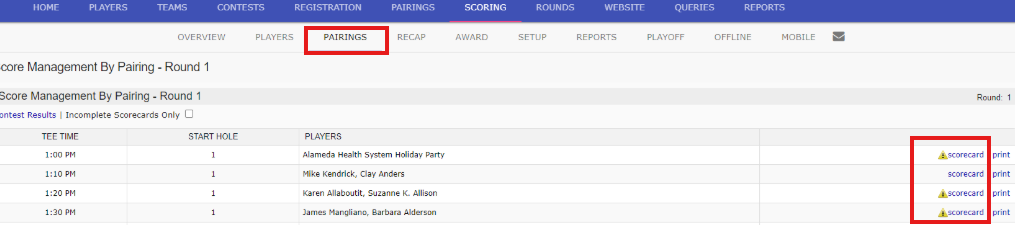
2. Pairing Scoring
This option allows administrators to enter scores for an entire group at once.
- Locate the pairing
- Select the scorecard link next to the group
- Enter scores for all players within that pairing
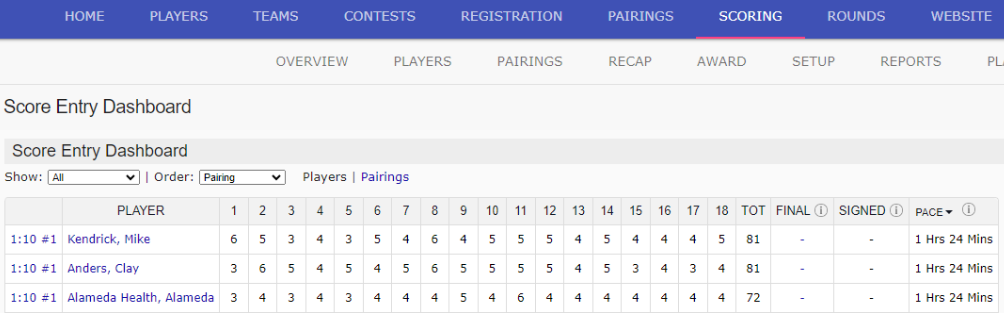
3. Scoring Dashboard
The dashboard provides a high-level view of score entry progress across the entire field.
- Monitor which players have scores entered
- Quickly identify missing or incomplete scorecards
Save Scores
After entering scores, be sure to select Save to ensure all data is recorded.
Was this article helpful?
That’s Great!
Thank you for your feedback
Sorry! We couldn't be helpful
Thank you for your feedback
Feedback sent
We appreciate your effort and will try to fix the article